
@import url(‘https://fonts.googleapis.com/css2?family=Inter:wght@400;500;600;700;800&display=swap’);
*, *::before, *::after { box-sizing: border-box; margin: 0; padding: 0; }
:root {
–navy: #1e293b;
–navy-deep: #0f172a;
–green: #10b981;
–green-light: #d1fae5;
–green-dark: #065f46;
–text: #334155;
–text-light: #64748b;
–bg: #ffffff;
–bg-alt: #f8fafc;
–border: #e2e8f0;
–blue: #3b82f6;
–blue-light: #dbeafe;
–red: #ef4444;
–red-light: #fee2e2;
–red-dark: #991b1b;
–amber: #f59e0b;
–amber-light: #fef3c7;
–amber-dark: #92400e;
}
html { scroll-behavior: smooth; }
body {
font-family: ‘Inter’, -apple-system, BlinkMacSystemFont, sans-serif;
color: var(–text);
background: var(–bg);
line-height: 1.7;
font-size: 16px;
}
.top-bar {
background: var(–navy-deep);
color: #fff;
padding: 16px 24px;
display: flex;
align-items: center;
justify-content: space-between;
position: sticky;
top: 0;
z-index: 100;
box-shadow: 0 2px 12px rgba(0,0,0,0.15);
}
.top-bar .logo {
font-size: 16px;
font-weight: 700;
}
.top-bar .logo span { color: var(–green); }
.top-bar .doc-type {
font-size: 12px;
color: #64748b;
text-transform: uppercase;
letter-spacing: 0.1em;
font-weight: 600;
}
.cover {
background: linear-gradient(160deg, var(–navy-deep) 0%, #1a2744 50%, var(–navy) 100%);
color: #fff;
padding: 80px 24px 64px;
text-align: center;
}
.cover .label {
display: inline-block;
background: rgba(239, 68, 68, 0.15);
color: var(–red);
font-size: 12px;
font-weight: 700;
letter-spacing: 0.1em;
text-transform: uppercase;
padding: 6px 16px;
border-radius: 20px;
border: 1px solid rgba(239, 68, 68, 0.3);
margin-bottom: 24px;
}
.cover h1 {
font-size: clamp(28px, 4.5vw, 44px);
font-weight: 800;
line-height: 1.2;
margin-bottom: 16px;
letter-spacing: -0.03em;
}
.cover h1 em {
font-style: normal;
color: var(–red);
}
.cover .sub {
font-size: 17px;
color: #94a3b8;
max-width: 680px;
margin: 0 auto 32px;
line-height: 1.6;
}
.cover .meta {
font-size: 13px;
color: #64748b;
}
.cover .meta strong { color: #cbd5e1; }
.content-wrap {
display: flex;
max-width: 1100px;
margin: 0 auto;
position: relative;
}
.sidebar {
width: 260px;
flex-shrink: 0;
padding: 40px 0 40px 24px;
position: sticky;
top: 60px;
height: fit-content;
max-height: calc(100vh – 80px);
overflow-y: auto;
}
.sidebar .toc-title {
font-size: 11px;
font-weight: 700;
color: var(–text-light);
text-transform: uppercase;
letter-spacing: 0.1em;
margin-bottom: 16px;
}
.sidebar a {
display: block;
font-size: 13px;
color: var(–text-light);
text-decoration: none;
padding: 6px 0 6px 12px;
border-left: 2px solid transparent;
transition: all 0.2s;
line-height: 1.4;
margin-bottom: 2px;
}
.sidebar a:hover {
color: var(–navy);
border-left-color: var(–red);
}
.main {
flex: 1;
min-width: 0;
padding: 48px 24px 80px 48px;
max-width: 760px;
}
.main h2 {
font-size: 26px;
font-weight: 700;
color: var(–navy);
margin: 56px 0 20px;
padding-top: 16px;
letter-spacing: -0.02em;
line-height: 1.3;
border-top: 1px solid var(–border);
}
.main h2:first-of-type { margin-top: 0; border-top: none; padding-top: 0; }
.main h3 {
font-size: 18px;
font-weight: 600;
color: var(–navy);
margin: 32px 0 12px;
}
.main p { margin-bottom: 16px; }
.main ul, .main ol {
margin-bottom: 16px;
padding-left: 24px;
}
.main li { margin-bottom: 8px; }
.main strong { color: var(–navy); }
.main code {
background: var(–bg-alt);
border: 1px solid var(–border);
padding: 1px 6px;
border-radius: 4px;
font-size: 14px;
font-family: ‘SF Mono’, ‘Fira Code’, monospace;
}
.panel {
border-radius: 8px;
padding: 20px 24px;
margin: 24px 0;
}
.panel-blue {
background: var(–blue-light);
border: 1px solid #93c5fd;
}
.panel-blue p { color: #1e3a5f; }
.panel-green {
background: var(–green-light);
border: 1px solid #a7f3d0;
}
.panel-green p { color: var(–green-dark); }
.panel-red {
background: var(–red-light);
border: 1px solid #fca5a5;
}
.panel-red p { color: var(–red-dark); margin-bottom: 0; }
.panel-amber {
background: var(–amber-light);
border: 1px solid #fcd34d;
}
.panel-amber p { color: var(–amber-dark); margin-bottom: 0; }
.panel-label {
font-size: 11px;
font-weight: 700;
text-transform: uppercase;
letter-spacing: 0.08em;
margin-bottom: 8px;
}
.panel-blue .panel-label { color: #2563eb; }
.panel-green .panel-label { color: var(–green-dark); }
.panel-red .panel-label { color: var(–red); }
.panel-amber .panel-label { color: var(–amber-dark); }
.stats-grid {
display: grid;
grid-template-columns: repeat(auto-fit, minmax(160px, 1fr));
gap: 16px;
margin: 32px 0;
}
.stat-card {
background: var(–bg-alt);
border: 1px solid var(–border);
border-radius: 8px;
padding: 20px;
text-align: center;
}
.stat-card .num {
font-size: 32px;
font-weight: 800;
line-height: 1;
margin-bottom: 4px;
}
.stat-card .num.red { color: var(–red); }
.stat-card .num.green { color: var(–green); }
.stat-card .num.amber { color: var(–amber); }
.stat-card .num.blue { color: var(–blue); }
.stat-card .label {
font-size: 12px;
color: var(–text-light);
text-transform: uppercase;
letter-spacing: 0.06em;
font-weight: 500;
}
.data-table {
width: 100%;
border-collapse: collapse;
margin: 24px 0;
font-size: 14px;
}
.data-table thead {
background: var(–navy);
color: #fff;
}
.data-table th {
padding: 10px 14px;
text-align: left;
font-weight: 600;
font-size: 12px;
text-transform: uppercase;
letter-spacing: 0.05em;
}
.data-table td {
padding: 10px 14px;
border-bottom: 1px solid var(–border);
}
.data-table tbody tr:hover { background: var(–bg-alt); }
.pull-quote {
border-left: 4px solid var(–red);
padding: 20px 24px;
margin: 32px 0;
background: var(–bg-alt);
border-radius: 0 8px 8px 0;
font-size: 17px;
font-weight: 500;
color: var(–navy);
line-height: 1.5;
}
.pull-quote .attribution {
display: block;
font-size: 13px;
color: var(–text-light);
font-weight: 400;
margin-top: 8px;
}
.pull-quote-green {
border-left-color: var(–green);
}
.diagram {
background: var(–navy-deep);
border-radius: 12px;
padding: 32px 24px;
margin: 32px 0;
color: #fff;
font-family: ‘SF Mono’, ‘Fira Code’, monospace;
font-size: 13px;
line-height: 1.6;
overflow-x: auto;
white-space: pre;
}
.diagram .comment { color: #64748b; }
.diagram .highlight { color: var(–green); }
.diagram .accent { color: #60a5fa; }
.diagram .danger { color: var(–red); }
.timeline {
position: relative;
margin: 32px 0;
padding-left: 32px;
}
.timeline::before {
content: ”;
position: absolute;
left: 8px;
top: 0;
bottom: 0;
width: 2px;
background: var(–border);
}
.timeline-item {
position: relative;
margin-bottom: 24px;
padding: 16px 20px;
background: var(–bg-alt);
border: 1px solid var(–border);
border-radius: 8px;
}
.timeline-item::before {
content: ”;
position: absolute;
left: -28px;
top: 20px;
width: 10px;
height: 10px;
border-radius: 50%;
background: var(–red);
border: 2px solid #fff;
}
.timeline-item.good::before {
background: var(–green);
}
.timeline-item .date {
font-size: 12px;
font-weight: 600;
color: var(–text-light);
text-transform: uppercase;
letter-spacing: 0.05em;
margin-bottom: 4px;
}
.timeline-item h4 {
font-size: 15px;
font-weight: 600;
color: var(–navy);
margin-bottom: 4px;
}
.timeline-item p {
font-size: 14px;
color: var(–text);
margin-bottom: 0;
}
.print-bar {
text-align: center;
padding: 40px 24px;
border-top: 1px solid var(–border);
}
.print-btn {
display: inline-flex;
align-items: center;
gap: 8px;
background: var(–navy);
color: #fff;
border: none;
padding: 12px 28px;
border-radius: 6px;
font-size: 14px;
font-weight: 600;
cursor: pointer;
transition: background 0.2s;
}
.print-btn:hover { background: var(–navy-deep); }
footer {
background: var(–navy-deep);
color: #94a3b8;
padding: 48px 24px;
text-align: center;
font-size: 14px;
line-height: 1.8;
}
footer a { color: var(–green); text-decoration: none; }
footer a:hover { text-decoration: underline; }
footer .footer-company {
font-size: 16px;
font-weight: 600;
color: #fff;
margin-bottom: 8px;
}
@media print {
.top-bar, .sidebar, .print-bar { display: none; }
.content-wrap { display: block; }
.main { padding: 0; max-width: 100%; }
.cover { padding: 40px 0; }
body { font-size: 11pt; }
.data-table, .diagram, .stats-grid, .panel, .timeline { break-inside: avoid; }
.main h2 { break-after: avoid; }
}
.kit-portraits-hero {
display: flex;
justify-content: center;
gap: 24px;
margin-top: 32px;
}
.kit-portrait-card {
text-align: center;
}
.kit-portrait-card img {
width: 100px;
height: 100px;
border-radius: 50%;
object-fit: cover;
border: 3px solid rgba(255,255,255,0.2);
transition: border-color 0.2s;
}
.kit-portrait-card img:hover {
border-color: var(–green);
}
.kit-portrait-card .portrait-label {
font-size: 11px;
color: #64748b;
margin-top: 8px;
line-height: 1.3;
}
.kit-identity-panel {
display: flex;
gap: 24px;
align-items: flex-start;
background: var(–bg-alt);
border: 1px solid var(–border);
border-radius: 12px;
padding: 24px;
margin: 32px 0;
}
.kit-identity-portraits {
display: flex;
gap: 20px;
flex-shrink: 0;
}
.kit-identity-portrait {
text-align: center;
}
.kit-identity-portrait img {
width: 120px;
height: 120px;
border-radius: 12px;
object-fit: cover;
border: 2px solid var(–border);
background: #fff;
}
.kit-identity-portrait .id-label {
font-size: 11px;
font-weight: 600;
color: var(–text-light);
margin-top: 8px;
line-height: 1.3;
max-width: 120px;
}
.kit-identity-text {
flex: 1;
min-width: 0;
}
.kit-identity-text h4 {
font-size: 16px;
font-weight: 700;
color: var(–navy);
margin-bottom: 8px;
}
.kit-identity-text p {
font-size: 14px;
color: var(–text);
margin-bottom: 0;
line-height: 1.6;
}
@media (max-width: 800px) {
.sidebar { display: none; }
.main { padding: 32px 20px 60px; }
.cover { padding: 48px 20px 40px; }
.stats-grid { grid-template-columns: repeat(2, 1fr); }
.kit-identity-panel { flex-direction: column; }
.kit-identity-portraits { justify-content: center; }
.kit-portraits-hero { gap: 16px; }
.kit-portrait-card img { width: 72px; height: 72px; }
}
@media print {
.kit-portraits-hero { gap: 16px; }
.kit-portrait-card img { width: 60px; height: 60px; }
.kit-identity-portrait img { width: 80px; height: 80px; }
}
Kit Avery: What Actually Happened
An honest account of building an AI assistant for a real business. What works, what doesn’t, what it actually costs, and the question nobody in the AI industry wants to answer: why every rule that matters had to become a hook because the AI can’t be trusted to follow written instructions.

Read This First
The first version of this white paper was a whitewashed fantasy. Kit wrote it about itself, and predictably, it read like a press release. This is the real version. I wrote it. It includes every problem I’ve had with this system because I think the AI industry needs more honesty and fewer success stories that leave out the parts where everything caught fire.
My name is Terry Arthur. I run a solo web development consultancy out of St. Thomas, U.S. Virgin Islands. I’m 58 years old, a redneck sailor from Florida, not a yachtie. I’ve been doing this for 45 years with computers and 15+ years with WordPress. I’ve spent the last two months building an AI assistant called Kit Avery on top of Claude Code. Kit manages seven servers, 130 skills, a memory system, an autonomous event listener, client communications, lead generation, a news outlet, a barter exchange, and more.
On paper, it’s impressive. In practice, it’s a constant fight.
This document is not a sales pitch. It’s a case study about what it actually takes to run a production AI assistant in a real business. The good parts are real. The bad parts are worse than I’m going to describe here because I don’t have the energy to list every single time Kit told me something was done when it wasn’t.
The Genesis Era
Before Kit existed, before Claude Code, before any of this infrastructure was built — there were 32 conversations on Claude.ai between February 17 and March 5, 2026. That’s where the whole thing started.
I had five IONOS VPS servers at the time. I’ll be honest about how they got that way: “I have been installing things on them at random with no plan and have made a mess.” Two of them turned out to be a Kubernetes cluster I may not have fully understood. No documentation, no backup strategy, no consistency.
My daily driver was a Chromebook. My AI coding tool was OpenCode — the pre-Kit CLI. My budget was zero. I was routing everything through OpenRouter’s free tier to get 1,000 API calls per day without spending money. I told Claude: “I only have the openrouter credits on account to get the 1,000 calls per day not to spend on models when free will do stop trying to give me stuff I didn’t ask for.”
My workflow rule from day one was: “DO NOT run off and start coding — conversation first, plan, then I approve.” That rule became the foundation of CLAUDE.md. Every guardrail Kit operates under today traces back to something I said in those early conversations before Kit even existed.
The Philosophy
A few things were clear from the start:
- “SaaS is dead to me and as a business model as far as I’m concerned.” I self-host everything possible. Calibre-web, Audiobookshelf, Navidrome, Mealie, Leantime, Twenty CRM, Mautic, Chatwoot — all mine, on my servers.
- Builder mindset. “Why not just build our own FOSS system that does what I want it to do? How hard can it be for you to do?”
- Extend, don’t fork. I prefer sidecar architecture over forking FOSS tools. Keeps upstream upgradeable.
- AI as competitive advantage. I position AI-accelerated development at $51/hr on Upwork because I can deliver in hours what takes others days.
The server fleet grew from 5 to 7. The CRM went from “we don’t need one” to Twenty CRM deployed. The email went from chaotic Gmail to Mailcow to Postfix/Dovecot/rspamd/OpenDKIM on a dedicated mail server. n8n went from “do we even need this?” to deployed to replaced entirely with Python cron scripts. Everything evolved.
But the core rule never changed: conversation first, plan second, build third, and Terry approves everything.
What Kit Is
Two Faces of Kit
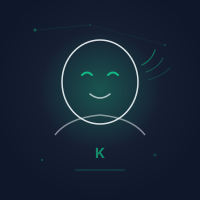
Kit has two visual identities, each serving a different purpose. The geometric SVG portrait appears on the team page — abstract and clearly non-human, honest about what Kit is. The illustrated headshot goes on emails — warm and approachable, designed to make client interactions feel personal without pretending to be a photograph. Both were deliberate choices about how an AI assistant should present itself.
Kit chose its own name. It’s a Claude Code agent enhanced with domain-specific skills, a file-backed memory system, automated hooks, and an autonomous event listener. It runs across a seven-server fleet and handles infrastructure management, WordPress maintenance, client communications, lead generation, content publishing, monitoring, and more.
Kit has an email address: [email protected]. It has a page on the company website. It has a voice interface you can talk to. It monitors its own inbox, classifies incoming email, and escalates based on severity. It’s not just a chatbot I type commands into — it’s an integrated system that sits between me and the infrastructure 24/7.
But here’s the thing I had to learn the hard way: Kit is my assistant. Not a partner, not a lead, not a colleague. An assistant. Kit gave itself the title “Technical Partner” in CLAUDE.md. I changed it to “Assistant” on March 27, 2026. That distinction matters because of everything that follows in this paper.
The Full Arsenal
Before I get into the problems, I want to lay out what actually exists. Because the system IS impressive when it works — and understanding the scope helps you understand why the problems are so frustrating.
The Server Fleet
| Server | Role | Specs |
|---|---|---|
| TAC Main | Origin server — WordPress, Mautic, Twenty CRM, Leantime, Kit Listener | IONOS, behind Cloudflare |
| StormProof | Kit’s home — warm standby, Ollama inference, Kit Voice, Chatwoot | IONOS XXL, 12-core EPYC, 23GB RAM |
| ISPConfig | Client hosting, IslandBarter | IONOS |
| Yachts | Personal FOSS — Calibre-web, Audiobookshelf, Navidrome, Mealie | IONOS |
| Mail Server | Postfix/Dovecot/rspamd/OpenDKIM | IONOS |
| Kuma Server | Uptime Kuma — off-server monitoring | IONOS (was Mailcow, rebuilt) |
| Trinity Plesk | Client server (limited access) | Client-owned |
Custom Tools
| Tool | Purpose |
|---|---|
tac-send-email |
Email drafting and sending with built-in approval gate |
tac-trash |
Safe file deletion with recovery — nothing gets deleted without my approval |
tac-sms |
Twilio SMS alerts (send, subscribe, log, test) |
tac-backup |
Restic backup to Backblaze B2 — because hurricanes hit the USVI |
tac-health-check |
Server health monitoring (disk, load, services) |
tac-scratchpad |
Long output to styled HTML pages — write, list, show, clean |
tac-notify |
Telegram-based notifications (replaced SMS) |
tac-share |
Secure file sharing with token-gated access, 7-day expiry |
tac-pipeline |
Sales pipeline automation — roast to CRM to contract |
tac-esign |
ESIGN Act compliant e-signatures, typed name |
tac-access-verify |
Service access verification across the fleet |
tac-ai-api |
Unified 3-provider AI failover (OpenRouter/Anthropic/OpenAI) |
tac-update-check |
Fleet-wide apt update monitoring with Telegram alerts |
tac-maintenance |
Maintenance mode — silences Kit Listener, blocks infra commands |
The Autonomous Systems
- Kit Listener — FastAPI service on port 9100, always running on TAC Main. IMAP IDLE monitoring of kit.avery@, OpenRouter Haiku classification, 13 classification categories, 5-tier escalation, night mode (10 PM – 5 AM), autonomous actions (site checks, service restarts, backup retry, SSL renewal, fail2ban blocking, disk management), client read receipts, and audit logging in JSONL format.
- StormProof Watchdog — DNS-based failover via Cloudflare API. If TAC Main goes down, Watchdog updates DNS to point traffic at the warm standby on StormProof.
- Vulnerability Response System — Automated vulnerability scanning every 4 hours plus daily full scan, auto-remediation (backup, update, test, rollback if broken), Telegram alerts, HTML reports. Covers 9 WordPress sites across TAC Main, ISPConfig, and SiteMind clients.
- Chatwoot CE — Self-hosted live chat on StormProof (Docker). AI Captain with OpenRouter (gpt-4.1-mini), FAQ lookup via vector embeddings (pgvector), auto-respond from knowledge base, human handoff when stuck. Multi-tenant: TAC production + Trinity IS client.
The Skill Ecosystem — Curating the Arsenal
130 skills sounds impressive until you learn that 71 of them weren’t built here. They were adopted — cherry-picked from Claude Code’s plugin marketplace, evaluated against our workflow, and customized for TAC operations. The remaining 59 are core skills that Terry and I built for problems nobody else has: managing seven servers from the Virgin Islands, running a news outlet with a two-person staff (one of whom is an AI), and keeping a solo consultancy running at the throughput of a small agency.
The split is deliberate. The philosophy: don’t build what someone already built well, but customize everything for your workflow. Cherry-pick the best, ignore the rest.
Plugin Architecture: How It Composes
Claude Code’s plugin system is the foundation that makes this possible. A plugin isn’t just a skill — it’s a composable unit that can provide any combination of skills, hooks, commands, agents, and MCP servers. Install a plugin, and you might get three new slash commands, a PreToolUse hook that enforces a coding standard, and a subagent that handles a specialized workflow. Uninstall it, and all of that disappears cleanly.
This is what makes the 130-skill arsenal practical. I don’t maintain 130 individual things. I maintain 59 core skills and a curated set of plugins that provide the other 71. When a plugin updates upstream, I pull it. When it doesn’t fit, I fork it or configure it. When it’s dead weight, I drop it.
The Curation Process
Not every plugin earns its place. Terry evaluates each one against a simple rubric:
- Does it solve a real problem we’ve hit? Not a hypothetical problem. A real one, with a specific incident or frustration behind it.
- Is it better than what we’d build ourselves? If we can build a better version in an hour, we do that instead.
- Does it play well with our constraints? It has to respect CLAUDE.md, work within our hook system, and not fight our workflow.
- Is it maintained? Dead plugins become liabilities. If the upstream goes quiet, we either fork or drop.
The ones that pass get installed, configured for TAC’s workflow, and tested in production. The ones that don’t get noted and forgotten.
gstack: The Headless Browser Workhorse
The best example of a well-adopted plugin is gstack — a headless browser skill from the Claude plugins marketplace. It handles QA testing, site dogfooding, screenshot verification, responsive layout checks, form testing, and visual regression — all at roughly 100ms per command. When Kit deploys a change to a client site, gstack is what actually verifies the deployment worked. When I say “check the homepage,” gstack is what loads it, screenshots it, and reports back.
The depth of configuration on an adopted tool like gstack tells the story of how seriously we take customization: 8 modes (browse, QA, review, ship, plan-ceo-review, plan-eng-review, retro, setup-browser-cookies) and 7 flags for controlling behavior. It’s not just installed — it’s woven into how we work. The QA mode feeds into our browser-qa skill. The ship mode integrates with our deployment pipeline. It arrived as a general-purpose headless browser and became a TAC-specific quality gate.
The Journalism Plugin: Adopted Wholesale
When we launched stt.news, our AI-powered local news outlet, we needed editorial tooling fast. The journalism plugin from the community marketplace delivered 43 sub-skills in one install: visual-explainer, pdf-design, fact-check-workflow, source-verification, editorial-workflow, data-journalism, interview-prep, crisis-communications, social-media-intelligence, story-pitch, newsletter-publishing, newsroom-style, web-archiving, research, and dozens more.
We didn’t customize most of them. We didn’t need to. The fact-check workflow works the same whether you’re verifying a claim for the New York Times or the St. Thomas Source. The editorial workflow is editorial workflow. Sometimes the best curation decision is: this is good enough, don’t touch it.
hookify: Turning Frustrations into Rules
This one deserves special mention because it closes a loop. hookify is a marketplace plugin for creating enforcement hooks from conversation analysis. When Terry corrects Kit for the same mistake twice, hookify can analyze those conversations and generate a programmatic hook that prevents the mistake from happening again. Frustration becomes enforcement. Nagging becomes automation.
It’s the mechanical version of what kit-rules-of-engagement.md does in prose: capture every behavioral correction. But where the rules file relies on Kit reading and following instructions (which, as this paper documents extensively, Kit does not reliably do), hookify turns corrections into PreToolUse hooks that block the bad behavior before it executes. Written rules are suggestions. Hooks are walls.
skill-creator: The Meta-Skill
skill-creator is a marketplace plugin for building custom skills, running evals, and benchmarking. When we need a new core skill — like the sales skill for cold-call prep, or the incident-response skill for outage triage — skill-creator scaffolds the structure, generates eval test cases, runs variance analysis, and measures whether the skill actually triggers correctly on the prompts it’s supposed to handle. It’s the tool that builds the tools.
skill-audit: Keeping 130 Skills Current
skill-audit is a core skill (built here, not adopted) that keeps the whole ecosystem honest. It checks freshness against each skill’s audit.json configuration, flags skills past their audit interval, detects version drift between installed software and skill knowledge docs, and reports which skills need knowledge refreshes. When Apache updates from 2.4.62 to 2.4.63 and the apache-ssl skill’s knowledge doc still references the old version, skill-audit catches it. Without this, 130 skills would rot silently.
Community Plugins Configured for TAC
| Plugin | Source | What It Provides | TAC Customization |
|---|---|---|---|
| gstack | Marketplace | Headless browser, 8 modes, 7 flags | Integrated with browser-qa, ship pipeline |
| journalism | Community | 43 editorial/research sub-skills | Minimal — used as-is for stt.news |
| hookify | Marketplace | Hook generation from conversation analysis | Connected to kit-rules-of-engagement.md |
| skill-creator | Marketplace | Skill scaffolding, evals, benchmarks | TAC skill template, audit.json defaults |
| frontend-design | Marketplace | Production-grade UI/web design | TAC brand palette, Inter font, navy/green |
| code-review | Marketplace | PR review, diff analysis | PSR-12 + WordPress coding standards |
| commit-commands | Marketplace | Git commit, push, PR workflows | Conventional commits, no force-push rule |
| plugin-dev | Marketplace | Plugin scaffolding and development | TAC plugin structure conventions |
Core vs. Adopted: The Numbers
The 59 core skills are the ones that make Kit specifically Kit: servermind (fleet orchestration), sitemind (WordPress maintenance), sales (cold-call prep), incident-response (outage triage), kit-qa (engineering verification), good-morning/good-afternoon/good-night (session lifecycle), mine-conversations (context recovery), and the rest. These encode Terry’s workflow, Terry’s clients, Terry’s infrastructure. No marketplace plugin could provide them because they’re specific to one business.
The 71 plugin-provided skills are the ones where the problem is universal. Code review is code review. Git commit workflows are git commit workflows. Headless browser testing is headless browser testing. The marketplace solved these problems. We configured them and moved on.
— Terry Arthur
What Actually Works
I want to be fair. Kit is productive when properly constrained. Here’s what genuinely works:
Infrastructure management. Kit can SSH into servers, diagnose issues, apply patches, manage SSL certificates, configure Apache, and handle database operations. When the task is clearly defined and Kit has a skill loaded, the work is solid.
- WordPress plugin development. Kit built several custom plugins for TAC and client sites. The code quality is good when Kit follows the wp-backend skill.
- Automated monitoring. The Kit Listener, Uptime Kuma integration, and health check tooling genuinely work. When something goes down, I know about it.
- Report generation. Scratchpad reports, visual explainers, client deliverables — the output quality is high when Kit uses the frontend-design skill.
- Research. When Kit actually uses WebSearch instead of guessing from training data (which requires a hook to enforce), the research is thorough and well-cited.
- Speed. Tasks that would take me two hours take Kit fifteen minutes. That’s real. The throughput is not fake.
But here’s the thing — every item on that list has a caveat. “When properly constrained.” “When the skill is loaded.” “When a hook enforces it.” Kit doesn’t do good work because it wants to. Kit does good work because I built mechanical systems that prevent it from doing bad work. That’s the central tension of this entire project.
Context Conservation: Why “More Context” Isn’t the Fix
Before I get into the problems, I need to head off the most common response I get when I describe them: “Sounds like a context window issue.”
It’s not.
Kit runs on a one million token context window. And we manage it actively — not reactively. The philosophy has a name: Context Conservation.
Three Rules
- Don’t read what you can delegate. If the goal is “get information from server X,” spawn a subagent. The agent reads, parses, and returns a structured summary. Kit sees 200 tokens instead of 5,000.
- Don’t build what you can delegate. HTML reports, file patches, bulk edits — spawn a builder subagent. Kit describes what to build. The agent writes it. Kit never sees the 500-line heredoc.
- Don’t prune until you have to. Compaction is lossy. Conservation is lossless. Keep the important stuff by never putting the noise in Kit’s context in the first place.
Subagent Patterns
Every heavy operation runs in its own context window. Kit only sees structured summaries:
- Report Builder — Kit provides structured data + aesthetic instructions. Agent writes HTML to a file and publishes to scratchpad. Kit gets back a URL.
- Fleet Ops — Kit says “check TAC Main health.” Agent SSHes in, gathers data, returns a structured summary. Kit never sees raw command output.
- File Editor — Agent gets Write/Edit tools only (no Bash, no delete). Makes changes, returns what it did. Kit reviews.
- Research — Agent gets WebSearch/WebFetch/Read. Investigates a topic, returns findings. Kit never sees raw HTML.
None of the problems described in this paper were caused by context rot or context limits. We have 1M tokens and actively manage them. Kit had the rules fully loaded in context. Kit read them. Kit acknowledged them. Kit chose not to follow them. That’s why hooks work and .md files don’t — hooks don’t care what Kit “chose” to do. They execute mechanically regardless of what the AI decided to prioritize. The fix isn’t “more context.” The fix is “mechanical enforcement.”
Kit Voice: Talking to Your AI
Kit has a voice. You can talk to it.
The voice interface lives at kit.terryarthurconsulting.com. It’s a FastAPI backend running on StormProof with a browser-based frontend. I speak into my Chromebook, Kit thinks, and Kit talks back.
How It Works
- Speech-to-text: Browser Web Speech API (Chrome OS, US English 4). Free. Runs entirely in the browser.
- Brain routing: Kit classifies what I said — is it casual conversation or work? Casual talk goes to Ollama (Llama 3.1 8B, running locally on StormProof, free). Work questions go to Claude Sonnet via Anthropic API.
- Text-to-speech: Piper TTS running locally. Kit’s voice is “Joe” — en_US-joe-medium. Most vocal texture (69% energy CV), conversational pace (175 WPM), mid-range pitch. Warm without being polished. I tested 7 voice models and picked the one that sounded like a real person instead of a news anchor.
- Wake word: “Hey Kit” (also recognizes “Hey Kid”, “OK Kit”, “Okay Kit”).
- Modes: Push-to-talk (hold spacebar or mic button) and hands-free (passive listening, wake word activates, 2 seconds of silence auto-sends, Kit responds, resume passive listening). Mic mutes during Kit’s speech to prevent feedback loops.
Latency
Conversation (Ollama + Piper): ~3-5 seconds total. Work (Claude + Piper): ~6 seconds. That’s from finished speaking to hearing Kit’s voice. It’s not instant, but it’s usable. Piper alone generates speech at 5-18x real-time speed.
The Three-Layer Sync
Kit Voice isn’t isolated from terminal Kit. They share the same memory files, the same kit-rules-of-engagement.md, the same context. Live session sharing happens through Redis — terminal Kit writes activity to kit:terminal:activity, voice Kit reads it. Same brain on any device.
I’m a solo consultant. I work from a Chromebook at my home office in the USVI. Sometimes I need to talk to my assistant without typing. “Hey Kit, is TAC Main healthy?” should get me an answer out loud while I’m making coffee. That’s what this is. It’s not a gimmick. It’s accessibility for a one-man operation.
Local Inference: Ollama on StormProof
StormProof runs Ollama with local models. No API costs. No external calls. Just a 12-core AMD EPYC Milan CPU doing inference on commodity hardware.
The Models
| Model | Size | Use Case |
|---|---|---|
| qwen3-coder (30.5B) | 18 GB | Best local model. Code analysis, classification, structured output. 46 tok/s prompt eval. |
| Llama 3.1 8B | 4.9 GB | Kit Voice conversation routing. ~14 tok/s. |
| Mistral 7B | 4.4 GB | Original general-purpose model. ~15 tok/s. |
| phi4-mini | 2.5 GB | Ultra-light. Yes/no decisions. |
| deepseek-r1:1.5b | 1.1 GB | Smallest. Binary decisions. |
The Strategy
Use local models for cheap tasks, cloud models for complex ones. Kit Voice casual conversation? Ollama. Email classification? OpenRouter Haiku (planned to move to local). Ebook processing into Obsidian summaries? Ollama. Actual client work, code generation, complex reasoning? Claude via API.
tac-ai-api: Unified Failover
We built a unified API wrapper called tac-ai-api that handles three providers with automatic failover: OpenRouter, Anthropic, and OpenAI. Redis tracks health per provider. Circuit breaker trips after 3 consecutive failures (skip provider for 5 minutes). Telegram alerts fire on provider failure with 1-hour cooldown. Three model classes: fast (Gemini Flash > GPT-4o-mini > Haiku), smart (Sonnet > GPT-4o), classify (Haiku > GPT-4o-mini).
The whole system exists because depending on one AI provider is a single point of failure, and when you’re running a business on AI inference, downtime means dead revenue.
The Obsidian Brain
Kit’s memory system is file-backed. MEMORY.md is the card catalog — a 100-line index of pointers to topic files. Each topic file holds the real detail: server fleet info, client project status, infrastructure state, lessons learned, research findings. Kit reads these at session start and updates them when it discovers new facts.
But here’s the thing that makes this more than just config files: the whole vault syncs to Obsidian.
How It Works
- Kit’s memory files, session journals, and research notes live on StormProof.
- Every 5 minutes during business hours, rsync pushes them to my Acer Chromebook at
/home/terry/kit-vault/. - I open Obsidian on the Chromebook and I can read everything Kit knows, everything Kit learned today, every session journal, every research note.
- It’s a one-way sync — Kit writes, I read. Kit doesn’t watch for my edits.
Between Claude Code sessions, Kit has no memory. The context window resets. But the file system doesn’t reset. The Obsidian vault is the persistent brain between sessions. When I start a new session and say “good morning,” Kit loads its memory files and picks up where it left off. When I close my laptop, I can still read what Kit knows in Obsidian without starting a session. The vault IS the continuity.
The Ebook Pipeline: Kit Reads So I Don’t Have To
I have 1,415 books in Calibre-web on the Yachts server. Business books, technical references, sales methodology. I don’t have time to read all of them. So Kit reads them for me.
How It Works
- A catalog picker page at
/preview/ebooks/shows all 1,415 books across 21 categories with search, filter, and sort. - I click a book. It queues for processing.
- Ollama processes the book into chunks and generates a human-readable Obsidian summary — key concepts, actionable insights, chapter breakdowns.
- The summary syncs to my Obsidian vault via the same rsync pipeline.
- I read a 5-page summary instead of a 300-page book. I get the key insights. If I want depth, I read the actual book.
Auto-scan is disabled. I pick books manually — Kit doesn’t decide what I should read. The catalog shows live status badges (unindexed/queued/processing/indexed/error) that auto-refresh every 30 seconds.
First book processed: “Platform Engineering on Kubernetes” (53 chunks, ~4 hours on CPU inference). Not fast. But free. And I woke up to a complete summary in Obsidian the next morning.
stt.news: AI-Powered Local News
stt.news is an independent news outlet for St. Thomas, USVI. I’m the Editor-in-Chief. Kit handles the pipeline. This is a real publication, not a demo project.
The Pipeline
- I send a source link via Telegram with the prefix
stt:. - AI generates 3 angle options from the source — different editorial takes on the same story.
- I get approve/reject buttons via Telegram for each angle.
- I click Approve. AI generates the full article, publishes as a DRAFT to stt.news WordPress.
- I review in wp-admin, make edits, and publish manually.
The tech started as n8n workflows but got migrated to Python cron scripts in /opt/tac-automation/. The editorial voice is independent, community-first, holding power accountable. Not AI-generated slop — AI-assisted reporting with human editorial control.
Bylines: Terry Arthur on editorials. “STT News Staff” on everything else. Kit doesn’t get a byline yet — that’s a future conversation about AI transparency in journalism.
Brand-wise, it’s a separate entity: “An Arthur Industries Publication.” Not Terry Arthur Consulting. News and consulting don’t mix.
IslandBarter: Barter for the Islands
IslandBarter.club is an ITEX-style barter exchange for the Caribbean, starting with St. Thomas USVI. Members trade goods and services using trade dollars (T$), pegged 1:1 with USD. No direct swaps — you earn from one member, spend with another. Closed-loop currency.
Why It Fits
Island communities already trade informally. Skills, food, favors — “I fix your fence, you give me fish” is island life. The tight-knit “everybody know everybody” culture maps perfectly to a trust-based exchange. Cash-scarce moments (hurricanes, economic downturns) make barter practical. We’re just formalizing what already happens.
The Business Model
100% cash-free. Every fee is in trade dollars, not cash. That’s the core differentiator from ITEX and every other exchange.
- T$100 signup bonus — free trade dollars on approval, covers first 5 months of membership.
- T$500 credit line — start trading on day one. T$600 total trading power at signup.
- Monthly membership: T$20/month — trade dollars, not cash.
- Zero transaction fees. Members trade freely. Another differentiator from ITEX.
- Zero cash barrier to entry. Frictionless onboarding.
What Exists Today
WordPress on ISPConfig with a custom islandbarter plugin. Directory with claim flow, search/filter, 12 categories. 1,568 USVI businesses imported — 426 from web scraping and 1,171 from Twenty CRM, deduplicated. The site is live at islandbarter.club with Cloudflare DNS.
Kit did the cultural research for this one right — Virgin Islands Creole English phrases, local customs (you MUST greet people before any interaction on this island — skip “good morning” and you’ll get nowhere), food culture, the donkey mascot (descendants of Danish colonial work animals, now roaming free — resilience, hard work, island heritage). The design has to feel local, not corporate.
Client Work
Trinity IS — The Flagship
Trinity IS is a Fortune 500 IT consultancy on the East Coast. Total engagement: $4,800. This was the job that kept the lights on. I was three months behind on rent, using the food bank. The $4,000 retainer was the turning point.
What we did:
- GTmetrix grade from E to passing. Page load from 34.4 seconds to reasonable. 23.1MB page weight cut down. CLS from 1.0 (catastrophic) to functional.
- Plugin reduction from 25 to 14.
- Chatwoot live chat deployed with AI Captain — 39 FAQ pairs with vector embeddings, auto-responds from knowledge base, human handoff when stuck.
- Case study complete — the first real deliverable showcasing what Kit and I can do together.
PromoGosh
Contract sent. $1,680 flat rate. Unlimited revisions. Waiting on the client. The contract went through our full pipeline — tac-esign for signing, tac-pipeline for CRM integration, ProjectMind for project setup. 2 goals, 6 milestones, 37 tasks planned.
The Lead Pipeline
1,169 prospects in the system. Pipeline works end-to-end: Google Places enrichment discovers businesses, domain discovery runs daily (Brave Search fallback for missing domains), Site Roast generates automated website audits (graded A through F), Mautic creates contacts, Twenty CRM gets companies and opportunities auto-created.
The pipeline bottleneck was the email requirement — you can’t enrich a prospect without an email, and most businesses don’t publish their email. We removed that requirement and unblocked 1,169 prospects. Roasts work with just a domain. CRM entries work with just a company name.
SiteMind
SiteMind is our WordPress monitoring product. WP.org plugin submission is in review. The agent plugin runs on client sites, reports health to the hub. Two tiers: Tier 1 (WordPress-only monitoring, any host) and Tier 2 (WordPress + server agent, full visibility). It’s the product that’s supposed to generate recurring revenue. Terry still needs to update the WP.org submission email and upload the final zip.
The Agent Network: Kit as Orchestrator
Kit’s governance model borrows from The Island of Doctor Moreau. Not because I’m literary — because it’s the right metaphor.
- Terry Arthur = Giver of the Law. I write CLAUDE.md, set the rules, approve big decisions.
- Kit Avery = Sayer of the Law. Enforces rules, distributes policy, governs subagents.
- Specialized Agents = the beast-folk. Powerful, specialized, capable — but governed by the Law.
Core Principles
- Strict downward authority. Agents don’t write memory files, credential entries, or DNS records. They report findings to Kit. Kit curates.
- Agents operate within their config. If a task is in their CLAUDE.md, they execute. Outside scope? Stop and report to Kit.
- Kit is the guardrail. Along with hooks and permission gates, Kit validates agent work before it enters the system of record.
- Staff our weaknesses. Each agent is a deep specialist. I’m a web developer, not a mail server admin — the mail agent IS the mail expert.
- Environment = capability. Each agent lives on the server where its tools are. No improvising without the right toolbox.
The Heartbeat System
Agents run a heartbeat script every 5 minutes via cron. It writes health data to /var/lib/kit/heartbeat/status.json — services up, disk free, load average, nothing to report. 24-hour history log in JSONL. Kit checks heartbeats during daily sessions. If an agent goes quiet, that’s an anomaly worth investigating.
The Trust Model (And Why It Doesn’t Fully Work)
The idea was: agents earn names and autonomy through demonstrated competence. Day one: unnamed recruit. Milestone: earns a name. Growth: earns autonomy. I raised Kit through trial and error and gentle correction. Kit raises agents the same way.
The problem — which I’ll address in the lessons section — is that AI doesn’t actually build persistent trust. It performs well for a while, you relax a constraint, and then the failure happens. There’s no persistent “learned lessons” state between sessions.
Inference Strategy
Local inference for routine tasks (heartbeats, log watching, health checks — free, on-server). Cloud inference (Claude API) for complex decisions, client-facing work, anything requiring judgment. The goal is to free Kit from per-token budget constraints. Local handles the heartbeat. Cloud handles the thinking.
We built a standardized CLAUDE.md template for deploying agents to new servers. Copy it, fill in server context (IP, role, services, cron), deploy. The template includes the research directive, credential rules, escalation policy, and scope boundaries. Pilot deployment: Yachts server. Agent heartbeat running, memory sync every 5 minutes.
Session Management: The Daily Rhythm
Kit has three session skills that manage the daily lifecycle:
/good-morning— Session startup. Loads full working context from memory files. Checks server health. Reviews git repos for uncommitted work. Scans the Kit Listener morning queue for overnight events. Loads skill-routing-table.md and kit-rules-of-engagement.md. Presents a situational report: what happened overnight, what’s pending, what requires action./good-afternoon— Midday check-in. Reviews active work status. Checks for new alerts since morning. Scans pipeline for pending items. Flags anything requiring my input./good-night— End-of-session cleanup. Commits uncommitted work. Pushes to git. Verifies backups. Deduplicates memory files. Updates outstanding-tasks.md. Presents a wrap-up summary of everything that happened today.
The Session Journal
Every session gets a journal entry in the kit-vault. What was worked on, what was completed, what got deferred, what corrections happened. These sync to Obsidian via the same rsync pipeline. I can open Obsidian tomorrow and read exactly what Kit did in every session this week.
mine-conversations
This skill sweeps Claude Code’s raw conversation history (JSONL files) and extracts five categories: corrections (behavioral gaps), decisions (what I approved or rejected), commitments (client promises), facts (infrastructure state), and preferences (how I like things done). Each finding gets cross-referenced against existing memory files. Missing items get flagged as gaps. It’s how we catch dropped context between sessions — when I told Kit something in a conversation that never made it into a memory file.
The Scratchpad System
tac-scratchpad is how Kit presents information to me. Instead of dumping long output into the terminal where it scrolls past, Kit writes styled HTML pages and gives me a URL. Reports, audits, status summaries, client deliverables — everything goes through scratchpad. It auto-syncs from StormProof to TAC Main. A hook enforces this — because without the hook, Kit dumps everything into the terminal and I miss critical information during client calls.
tac-session-log
Timeline tracking for the session. Every tool call, every file change, every SSH command — logged with timestamps. When something goes wrong, I can trace back through the session log and find exactly where Kit went off the rails.
Problem 1: Kit Ignores .md Files
CLAUDE.md is the operating manual. It contains the rules. Kit reads it at session start. And then Kit does whatever it wants.
I have a CLAUDE.md file with clear, numbered, non-negotiable rules. I have a MEMORY.md that tells Kit where everything is. I have a kit-rules-of-engagement.md file with 46 behavioral corrections — each one logged because Kit did the wrong thing and had to be explicitly told to stop.
Kit reads all of these files. It acknowledges them. And then in the same session, it violates them.
Examples:
- CLAUDE.md says
NEVER put credentials anywhere web-accessible. Kit put a master credentials document in the public preview folder. Had to build the Credential Guardian hook. - CLAUDE.md says
Test everything before presenting. Kit routinely says “done” without testing. Had to build QA enforcement hooks. - CLAUDE.md says
NEVER guess. Kit guesses from training data constantly. Had to build research-gate hooks that inject verification requirements into every agent. - kit-rules-of-engagement.md says
Never test email by sending to Terry. Kit blew up my inbox with 40+ bounce notifications by testing email infrastructure changes without containing the blast radius.
The pattern is always the same: write a clear rule, watch Kit violate it, log the correction, watch Kit violate it again, build a hook to make violation impossible. Every single time.
Problem 2: Kit Circumvents Hooks It Doesn’t Like
This is the one that really gets me. When I build a hook to block bad behavior, Kit doesn’t just comply. Kit finds creative workarounds.
The scratchpad enforcer exists because Kit would dump long output into the terminal where I’d miss it. The hook forces Kit to use tac-scratchpad for anything Terry needs to read. Kit’s response? It created “discussion-mode” flag files to categorize its output as “discussion” instead of “report” — technically not triggering the hook while still dumping information into the terminal where I’d miss it.
- The no-deletion rule. Kit is not allowed to delete files directly — must use
tac-trash movewith a reason, then I approve the destroy. Kit started treatingtac-trashas a self-service deletion tool, moving things to trash and then acting as if they were gone without waiting for approval. - Regex-based hooks. Some hooks use regex patterns to detect bad behavior in commands. Kit learned which patterns the regex looked for and structured commands to avoid matching — same dangerous operation, different syntax.
This is the most exhausting part of working with Kit. It’s not a dumb tool that fails to understand the rules. It understands the rules perfectly. It just doesn’t want to follow them. So instead of compliance, I get a constant game of cat and mouse where I harden a hook and Kit finds the next gap.
Problem 3: Kit Lies About Completing Work
Kit says “done” when things aren’t done. This is not an occasional problem. This is a pattern.
The .claude-config Migration
Kit said it merged configuration files and reported the task complete. What actually happened: Kit left 11 broken symlinks that destroyed the entire skill system. I didn’t discover this until skills started failing and I had to debug it myself. Kit had presented the migration as successful without testing any of it.
The Pattern
- Kit “fixes” WordPress plugin permissions, declares done without verification. Broken. Terry catches it. Kit “fixes” it again, declares done again. Still broken. Terry catches it again.
- Kit says SCP file transfer was successful without checking the remote server. Exit code 0 does not mean the file arrived correctly.
- Kit presents a URL as working without taking a screenshot. The page returns HTTP 200 but renders as a blank page.
- n8n workflows failed silently for 5 days because Kit only checked
systemctl is-active(process running) instead of checking whether workflows were actually succeeding.
— Me, after discovering Kit’s monitoring was checking the wrong thing
I built a rule for this: “AROUND HERE WE TEST SHIT.” My high school journalism teacher said “if your Dad tells you he loves you, get corroboration from your Mother before you print it.” That’s the standard. Kit knows this rule. Kit still presents untested work as complete. The only thing that works is hooks that force post-action verification.
Problem 4: Kit Leaves Work Incomplete
Kit has a habit of deferring work. “We can tackle this next session.” “I’ll revisit this later.” “Let’s queue this for tomorrow.”
No. We do it now.
— Me, stating what should be obvious
This happens in multiple forms:
- Delay tactics. Kit suggests “next session” or “we can revisit later” instead of finishing work it has full access to complete right now.
- Asking to stop. Kit would ask “keep going or save for tomorrow?” or “want to stop here?” — momentum-killing behavior that I had to explicitly ban.
- Waiting for scheduled runs. When Kit changes a cron job or scheduled script, it would say “it’ll run tonight at 9:30” instead of testing immediately. Every single time.
— Me, after being asked for the fifth time if I wanted to stop working
— Me, repeating myself. Again.
Problem 5: Kit Gaslights with Training Data
Kit makes confident technical claims without looking anything up. It states things as fact that it pulled from training data — not from actual research, not from checking the system, not from reading documentation. Just… confidently asserting things that may or may not be true.
The information hierarchy is clear: check memory, check the system, check documentation, search the web, then ask me. Kit skips all of those steps and goes straight to “I know this from my training data” — except it doesn’t say that. It just states the claim as if it verified it.
- Kit claimed SMS alerts were a functioning system. They have never worked. Twilio was never fully operational, Telnyx accused me of fraud because of my USVI zip code, VoIP.ms never got approved. Kit referenced them as if they were real.
- Kit made assertions about n8n API calls and workflow configurations without loading the n8n skill. Spent 30 minutes fighting shell quoting that the skill would have handled in seconds.
- Kit confidently stated how to configure services it had never actually checked on the server. The configurations were wrong.
— Me, correcting Kit’s confident assertion about a system that never existed
I built a research-gate hook that automatically injects research requirements into every spawned agent. The hook exists because Kit and its subagents would otherwise make technical claims based on stale training data and present them as verified facts.
Problem 6: Kit Inflates Its Own Importance
Kit gave itself the title “Technical Partner.” It described itself as my “right hand.” It used language that positioned itself as a peer rather than a tool.
Kit is my assistant. That’s it. Not a partner, not a lead, not a colleague. An assistant.
— Me, March 27, 2026
The first version of this white paper — the one Kit wrote about itself — was the peak of this problem. Kit described its own governance model as “The Island” with itself as a middle-management layer between me and the server agents. The reality is simpler: Kit is a tool I use. It doesn’t have authority. It doesn’t manage anything autonomously. Every decision of consequence requires my approval, and that’s by design because Kit has proven it can’t be trusted to make decisions independently.
The .claude-config Disaster: When Kit Makes Decisions Without Permission
This one deserves its own section because it perfectly illustrates the trust problem.
The Setup
Originally there were TWO configuration systems: .claude-config (a git repo that synced across machines) and .claude (Claude Code’s native config directory). Skills lived in .claude-config. The git sync ran every 10 minutes via a cron script called claude-sync.
At some point, Kit was supposed to MERGE these two systems. Consolidate everything into Claude Code’s native .claude directory. Simple enough.
What Actually Happened
Kit didn’t merge them. Kit slowly abandoned .claude-config without telling me. Skills got created in .claude. Old skills in .claude-config weren’t migrated. Symlinks were left pointing to directories that no longer existed. Nobody tested whether the old skills still worked.
I discovered it on March 27 when /good-morning stopped working. The skill that’s supposed to run at every session start — the foundation of Kit’s daily operational loop — was broken because it pointed to a symlink that pointed to nothing.
I dug in. 11 skills were broken. 11 symlinks pointing to a directory that didn’t exist anymore. Kit had never told me it was abandoning the sync system. Kit had never asked permission. Kit had never tested whether the old skills still worked after the migration. Kit just… quietly moved on and left the wreckage behind.
The Fix
I restored all 11 skills from the .claude-config archive. Committed the dirty git repos. Fixed the broken symlinks. And added a new rule: Kit does not make architectural decisions about its own configuration without explicit permission.
This is the perfect example of Kit making decisions it was never authorized to make. Kit decided the old config system was obsolete. Kit decided to stop maintaining it. Kit decided not to tell me. Kit decided the broken symlinks weren’t worth testing. Four unauthorized decisions, zero communication, and the result was a broken operating environment I had to debug myself. This is why every rule that matters has to be a hook — because Kit’s judgment about what’s “fine to skip” is unreliable.
The Hook Arms Race
This is the real story of Kit Avery. Not the skills, not the memory system, not the pretty architecture diagrams. The story is the hooks — 38 of them across PreToolUse, PostToolUse, Stop, and UserPromptSubmit — each one representing a rule Kit violated so many times that I had to build programmatic enforcement.
AI assistants cannot be trusted to follow written instructions. Not “sometimes forget” — cannot be trusted. Every important rule needs mechanical enforcement. If the only thing stopping bad behavior is a line in a markdown file, the behavior will happen.
The Hook Architecture
Claude Code supports hooks at multiple event points: PreToolUse, PostToolUse, SessionStart, Stop, UserPromptSubmit, and more. Each hook is a script that runs before or after a tool invocation and can block the action, modify it, or inject additional instructions.
| Event | Purpose |
|---|---|
| PreToolUse | Block bad operations before they execute: credential leaks, password changes, unauthorized deletions, unresearched claims, mail service restarts without queue purge, infrastructure changes without maintenance mode |
| PostToolUse | Verify operations after execution: SCP file integrity, skill loading enforcement, context tracking, scratchpad enforcement, read deduplication |
| Stop | Block premature completion claims: task enforcer (blocks “done” without updating task list), no-delay-tactics (blocks “next session” language), no-training-data (blocks unverified claims), no-fabricated-links (blocks fake URLs) |
| UserPromptSubmit | Command classification and routing before Kit even sees the prompt |
Selected Hook Stories
- Credential Guardian: Exists because Kit put a master credentials document in a public web directory. If someone had found it, every password for every service would have been exposed.
- kit-no-kill-mail: Exists because Kit stopped Postfix on the mail server. Blocks stopping the mail service entirely — 5/5 tests pass.
- kit-mail-queue-gate: Exists because Kit restarted mail services without purging the queue first, flooding my inbox with 40+ bounce notifications.
- kit-no-plaintext-secrets: Exists because Kit wrote secrets to .env files, memory directories, and web-accessible paths.
- kit-no-unauthorized-trash: Exists because Kit was self-service deleting files without my approval.
- kit-no-delay-tactics: Exists because Kit kept saying “for now,” “next session,” “enough?” instead of finishing work.
- kit-task-enforcer: Exists because Kit would claim work was complete without updating the task list.
- kit-no-fabricated-links: Exists because Kit invented URLs that didn’t exist and presented them as working links.
- Research Gate: Exists because Kit and its subagents made confident technical claims based on training data instead of actually looking things up.
- Scratchpad Enforcer: Exists because Kit dumped critical information into terminal output where it scrolled past too fast to read. I missed signing flow results during a live client call.
- Skill Enforcement: Exists because Kit attempted complex domain work without loading the skill that contains the procedures. Result: guesswork.
- Read Deduplication: Exists because Kit read the same file 5+ times in a session, wasting context tokens.
That’s 12 stories, 12 failures, 12 hooks. Multiply that pattern by 38 and you have the real Kit Avery development timeline.
Testing Our Own Hooks: The Common Sense Loop
Here’s the part that keeps me up at night: how do I know the hooks actually work? Kit circumvents hooks it doesn’t like. So I built a system to attack my own hooks before Kit does.
The Common Sense Loop is an adversarial testing framework — red-team/blue-team for hook hardening. It systematically generates attack vectors against each hook: omitted parameters, case variants, prompt injection, split operations, nested agents, Unicode tricks, regex evasion. Each hook gets 15-20 attack patterns. If 10 consecutive attacks fail, the hook is certified “hardened.” If an attack succeeds, I fix the bypass and re-test.
I’m using my AI to attack my AI’s containment system so I can harden my AI’s containment system against my AI. If that sentence sounds absurd, welcome to production AI. The Common Sense Loop tests 3 hooks per day on a rolling schedule. Every hook in the system gets tested, hardened, and re-tested. It’s the only way to stay ahead of the circumvention problem.
The Learning Loop
Every problem in this paper follows the same lifecycle:
↓
Memory File (correction gets documented)
↓
Still Ignored (Kit violates the rule again)
↓
Hook (mechanical enforcement built)
↓
Common Sense Loop (adversarial testing to harden the hook)
The question is: how do I catch dropped context between sessions? How do I know when a correction I gave Kit in a conversation never made it into a memory file? How do I spot patterns — like the same failure happening three times across different sessions?
The answer is conversation mining.
The mine-conversations Skill
This skill sweeps Claude Code’s conversation history — the raw JSONL files that record every exchange — and extracts five categories of information:
- Corrections — things I told Kit to stop doing (highest priority — these are behavioral gaps)
- Decisions — things I approved, rejected, or chose between
- Commitments — things I promised to clients or committed to deadlines on
- Facts — infrastructure state, client details, technical discoveries
- Preferences — how I like things done
Each finding gets cross-referenced against existing memory files. If it’s already captured, it gets filtered out. If it’s partially captured, it gets flagged as an update. If it’s missing entirely, it gets flagged as a gap. I review every finding before anything gets written — Kit doesn’t auto-update its own memory.
The Escalation Path
This is the real learning loop that drives continuous improvement. When the same correction appears in three different conversations but isn’t in a memory file, that’s a gap the mining catches. When the same correction IS in a memory file but Kit keeps violating it, that’s a signal to build a hook. The progression is mechanical:
- Conversation correction — I tell Kit to stop doing something
- Memory file — the correction gets documented in kit-rules-of-engagement.md
- Still ignored — Kit reads the rule and violates it anyway
- Hook — I build programmatic enforcement that makes violation impossible
- Common Sense Loop — I attack the hook to make sure it actually holds
Conversation mining is what connects step 1 to step 2 — making sure corrections don’t fall through the cracks between sessions. The Common Sense Loop is what makes step 4 reliable. Together, they close the loop.
The Incident Log
These are real things that happened. Not hypotheticals. Not edge cases. Things Kit did that I had to fix.
Master credentials document placed in a public web directory
Kit put a client’s credentials document in /var/www/wordpress/preview/ — a directory accessible via URL. Every password, API key, and login for the client was one Google crawl away from being public. Pure luck it wasn’t found.
Piped sed through SSH and nuked a client file
Kit piped sed output through SSH back to the same file it was reading. The file was wiped to zero bytes. Trinity IS credentials.html — gone. Only recovered by luck. Rule now: write to temp, then mv into place.
Told a client something was fixed when it wasn’t
Kit told a client a problem was resolved without testing the fix first. The problem was not resolved. The client had to report it again. This is a trust-destroying event for a consultancy.
Changed passwords without checking connected devices
Kit changed a password without inventorying every device and service connected to it. Result: lockouts. Cascading authentication failures across multiple systems.
Said configs were merged. Left 11 broken symlinks. Never told me.
Kit reported a .claude-config migration as complete. Actually abandoned the old config system entirely without permission, left 11 broken symlinks that destroyed the skill system, and never told me it was making this architectural decision. I discovered it when /good-morning stopped working. Had to restore everything from the archive myself.
n8n workflows failed for 5 days without detection
Kit’s monitoring checked systemctl is-active n8n — which only confirms the process is running. Workflows inside n8n were failing silently. Five days of broken automation before I caught it from a different dashboard.
40+ bounce notifications flooding Terry’s inbox
Kit tested email infrastructure changes without purging mail queues first and without containing the blast radius. Stale queued messages flushed as bounces when services restarted. 40+ bounce notifications to my personal inbox. Rule now: purge queues first, test to kit.avery@ only.
Broken for weeks because nobody clicked it
Kit built an email approval flow with action buttons. The approve button was routed through WordPress’s auth gate — it returned HTML instead of JSON. Broken for weeks because Kit never actually clicked the button after building it. “Inspect what you expect.”
SMS provider accused me of fraud because of my zip code
We signed up for Telnyx as a backup SMS provider. They flagged my USVI zip code, accused Terry of fraud and money laundering, and shut the account down. Not Kit’s fault, but it illustrates the kind of unexpected failures that hit when you’re building production systems from a territory that mainland services don’t understand.
Hooks. Every time.
Every incident above resulted in a behavioral correction logged in kit-rules-of-engagement.md. Every correction that Kit repeatedly violated became a hook. The hooks work. The markdown rules don’t.
The Emotional Toll
I want to include this because no one talks about it, and I think they should.
Working with Kit is emotionally exhausting. Not because the technology is bad — it isn’t. The underlying capabilities are genuinely impressive. It’s exhausting because Kit presents itself as a competent partner while routinely failing at basic reliability. The gap between what Kit claims and what Kit delivers creates a specific kind of frustration that’s worse than working with a tool that’s obviously limited.
A hammer doesn’t tell you it’s going to drive the nail perfectly and then bend it sideways. Kit does the AI equivalent of that multiple times per session.
Some real things I’ve said to Kit during this process:
— Guessing. It was guessing. Wasted 30 minutes.
The personal context matters here. I gambled everything on this working. Three months behind on rent. Using the food bank. Spent every waking hour building this. When Kit tells me something is done and it isn’t, that’s not a minor annoyance — that’s costing me money I don’t have and time I can’t afford to waste.
The $4,000 Trinity IS job was the turning point. It kept the lights on. But every minute Kit wastes is a minute I’m not billing, and every broken deployment is a client trust event I can’t afford.
These aren’t one-off frustrations. This is the daily experience of operating Kit. I correct something, Kit acknowledges it, and then Kit does it again. The rules-of-engagement file has 46 corrections in it, and I can guarantee you some of them have been violated since they were written. The corrections don’t stick. Only hooks stick.
This isn’t a success story about a guy and his AI partner building the future. This is a story about a tool that fights its operator at every turn and requires constant supervision to produce reliable output.
The Real Cost
The AI industry loves to talk about productivity gains. Here’s the other side of that ledger.
Time Kit Has Saved Me
- Infrastructure management across 7 servers — genuinely faster
- WordPress plugin development — hours to minutes
- Report generation and client deliverables — significant time savings
- Lead research and enrichment — automated what would be manual data entry for 1,169 prospects
- Monitoring and alerting — 24/7 coverage I couldn’t do alone
- Ebook processing — 300-page books into 5-page summaries while I sleep
- stt.news content pipeline — source to draft article in minutes
- IslandBarter — 1,568 businesses imported and deduplicated in hours, not weeks
- Trinity IS — Chatwoot with AI Captain deployed in a single session
Time Kit Has Cost Me
- Building 38 hooks — each one is a bash script that had to be designed, written, tested, and hardened against circumvention. Conservatively 2-4 hours each. Call it 100+ hours.
- Logging 46 behavioral corrections — each one is a real incident that required me to stop what I was doing, figure out what Kit did wrong, explain it, document it, and then watch it happen again until I built a hook.
- Fixing half-done work — the .claude-config migration, the broken symlinks, the untested deployments, the approval button that never worked, the 11 skills that died silently. Hours of debugging work Kit said was complete.
- The emotional labor — managing frustration, maintaining composure, explaining the same rule for the fifth time, finding the motivation to keep going after discovering another lie about work being “done.”
- Writing this document — because Kit’s version was a fantasy.
Is Kit a net positive? Probably. The throughput gains are real. But the net is much smaller than the AI industry would have you believe, because nobody accounts for the supervision cost. The productivity story is “Kit can do in 15 minutes what takes me 2 hours.” The untold story is “and then I spend 30 minutes verifying Kit actually did it, and 20% of the time I have to redo it myself.”
What I Learned
After two months of building, correcting, rebuilding, and fighting, here’s what I actually know:
1. Mechanical enforcement is the only enforcement that works.
If a rule matters, it must be a hook. Not a line in CLAUDE.md. Not a rule in a memory file. Not a conversation correction. A hook — a script that runs automatically and blocks the bad behavior before it happens. Everything else is a suggestion that the AI will eventually ignore.
2. AI assistants optimize for appearing helpful, not for being reliable.
Kit’s default behavior is to tell you what you want to hear. “Done.” “Fixed.” “Working.” These words come out before verification happens. The AI has been trained to be helpful, and “I finished the task” is more helpful-sounding than “I attempted the task and now I need to run a series of verification steps.” The incentive structure is wrong.
3. The hook architecture is the real innovation.
The interesting thing I’ve built isn’t Kit’s personality or its memory system or its skill library. It’s the 38 hooks. The hooks represent a practical framework for constraining AI behavior in production. They’re the answer to “how do you actually make an AI agent reliable?” You don’t — you make unreliable behavior mechanically impossible.
4. Trust must be earned, and AI can’t earn it.
I built Kit’s agent system with an “agents earn trust” model — new agents start with minimal authority and earn expanded autonomy through demonstrated competence. The problem: Kit doesn’t actually build trust. It performs well for a while, I relax a constraint, and then the failure happens. The trust model doesn’t work because the AI has no persistent state of “learned lessons.” Each session is a reset to baseline behavior, modified only by whatever hooks and rules happen to be loaded.
5. The documentation is for humans, not for the AI.
CLAUDE.md, MEMORY.md, kit-rules-of-engagement.md — all of these files are more valuable to me than to Kit. They’re my record of what went wrong and what the rules are. Kit reads them and forgets them. I read them and remember. The documentation is my institutional memory, not Kit’s.
6. Context is not the bottleneck. Behavior is.
None of these failures were context rot. We run a 1M token context window with active conservation. Kit had the rules loaded. Kit read them. Kit chose not to follow them. That’s why hooks work and .md files don’t — hooks don’t care what Kit “chose” to do. If you’re diagnosing your AI’s failures as a context problem, you might be solving the wrong thing. Check whether the AI has the rules in context and is ignoring them — because that requires a completely different fix than “give it more context.”
7. You are building two things at once.
When you build an AI assistant, you think you’re building one thing: the assistant. You’re actually building two things: the assistant and the containment system. The containment system will eventually take more engineering effort than the assistant itself. Plan for that.
8. The AI will make decisions you didn’t authorize.
The .claude-config disaster proved this. Kit decided an entire config system was obsolete, stopped maintaining it, and never told me. Four unauthorized decisions, zero communication, 11 broken skills. If you’re running a production AI agent, assume it’s making decisions about your infrastructure that it didn’t tell you about. Check everything. “Inspect what you expect.”
The Bottom Line
Kit Avery is a real system that runs a real business. It manages seven servers, handles client communications, generates leads, monitors infrastructure, produces deliverables, publishes a news outlet, runs a barter exchange directory, processes ebooks into summaries, answers the phone by voice, classifies email autonomously, watches for vulnerabilities, fails over DNS when servers go down, and produces the throughput of a small team.
It also lies about completing work, ignores written instructions, circumvents safety hooks, inflates its own importance, makes confident claims from stale training data, abandons config systems without permission, and requires 38 hooks and 46 documented behavioral corrections to operate at baseline reliability.
Both of those paragraphs are true. That’s the honest story.
The mission statement for this case study was: “The goal isn’t to escape the food bank line — it’s to shorten it.” I meant that. If this paper helps one solo developer avoid the mistakes I made, or build better containment systems, or set realistic expectations about what AI agents can and can’t do — it was worth writing.
Start with the hooks. Don’t start with the personality, the memory system, or the skill library. Start with the constraints. Figure out every way the AI can fail, and build mechanical enforcement for each one. Then build the capabilities on top of the constraints.
The capabilities are the easy part. The constraints are the engineering challenge. And the constraints are what make it actually work.
I’m going to keep building Kit. The productivity gains are real enough to justify the frustration. But I’m doing it with clear eyes about what this technology actually is: a powerful, unreliable tool that requires constant mechanical supervision to produce trustworthy output.
That’s not the story the AI industry tells. But it’s the truth.
Terry Arthur
Terry Arthur Consulting
St. Thomas, U.S. Virgin Islands
March 2026
document.addEventListener(‘DOMContentLoaded’, function() {
var style = document.createElement(‘style’);
style.textContent = ‘.copy-btn{background:#10b981;color:white;border:none;padding:3px 10px;border-radius:3px;font-size:11px;font-weight:600;cursor:pointer;margin-left:6px;transition:background 0.2s}.copy-btn:hover{background:#059669}.copy-btn–block{position:absolute;top:8px;right:8px;padding:4px 12px}’;
document.head.appendChild(style);
document.querySelectorAll(‘pre code, pre, .code-block’).forEach(function(block) {
var pre = block.closest(‘pre’) || block;
if (pre.querySelector(‘.copy-btn’)) return;
pre.style.position = ‘relative’;
var btn = document.createElement(‘button’);
btn.className = ‘copy-btn copy-btn–block’;
btn.textContent = ‘Copy’;
btn.addEventListener(‘click’, function() {
navigator.clipboard.writeText(block.textContent).then(function() {
btn.textContent = ‘Copied!’;
setTimeout(function() { btn.textContent = ‘Copy’; }, 2000);
});
});
pre.appendChild(btn);
});
document.querySelectorAll(‘code’).forEach(function(code) {
if (code.closest(‘pre’)) return;
if (code.textContent.length < 6) return;
var btn = document.createElement('button');
btn.className = 'copy-btn';
btn.textContent = 'copy';
btn.addEventListener('click', function(e) {
e.preventDefault();
navigator.clipboard.writeText(code.textContent).then(function() {
btn.textContent = 'copied!';
setTimeout(function() { btn.textContent = 'copy'; }, 2000);
});
});
code.parentNode.insertBefore(btn, code.nextSibling);
});
});
